
💻 Week 03, Day 02 - Lab
Query and Join Data in SQLite
By the end of this lab, you should be able to: i) Open a SQLite database and read its structure before you query the data, ii) Explain what a primary key and a foreign key state about a table, iii) Write SELECT, WHERE, GROUP BY, and JOIN queries against a database you did not build, iv) Translate a pandas chain into the SQL query that answers the same question.
⏰ Tuesday, 28 July 2026 | Check your timetable for your class time 📍 Check your timetable for the location of your class
Let’s practice how to query and join data in a SQLite database (as well as merging data in pandas).
🛣️ Lab Roadmap
Open ME204_W03D02_Lab.ipynb in VS Code on Nuvolos. Part III is the one to finish before the session ends.
👉 NOTE: When you see 💡 TEACHING MOMENT, watch and listen: your class teacher is showing something for the whole room. When you see 🎯 Action points, it is your turn to work in the notebook.
| Part | Time | What you do |
|---|---|---|
| Part I | ~15 min | Guided: install the SQLite Viewer extension, open the database, list its tables |
| Part II | ~20 min | Your class teacher explains primary and foreign keys to the whole room |
| Part III | ~50 min | You write five queries, each adding one clause to the last |
| Wrapping up | ~10 min | Room discussion: SQL or pandas? |
| Bonus | Remaining | Translate pandas chains into SQL, or work on your final project |
Part I: Open the database and look around
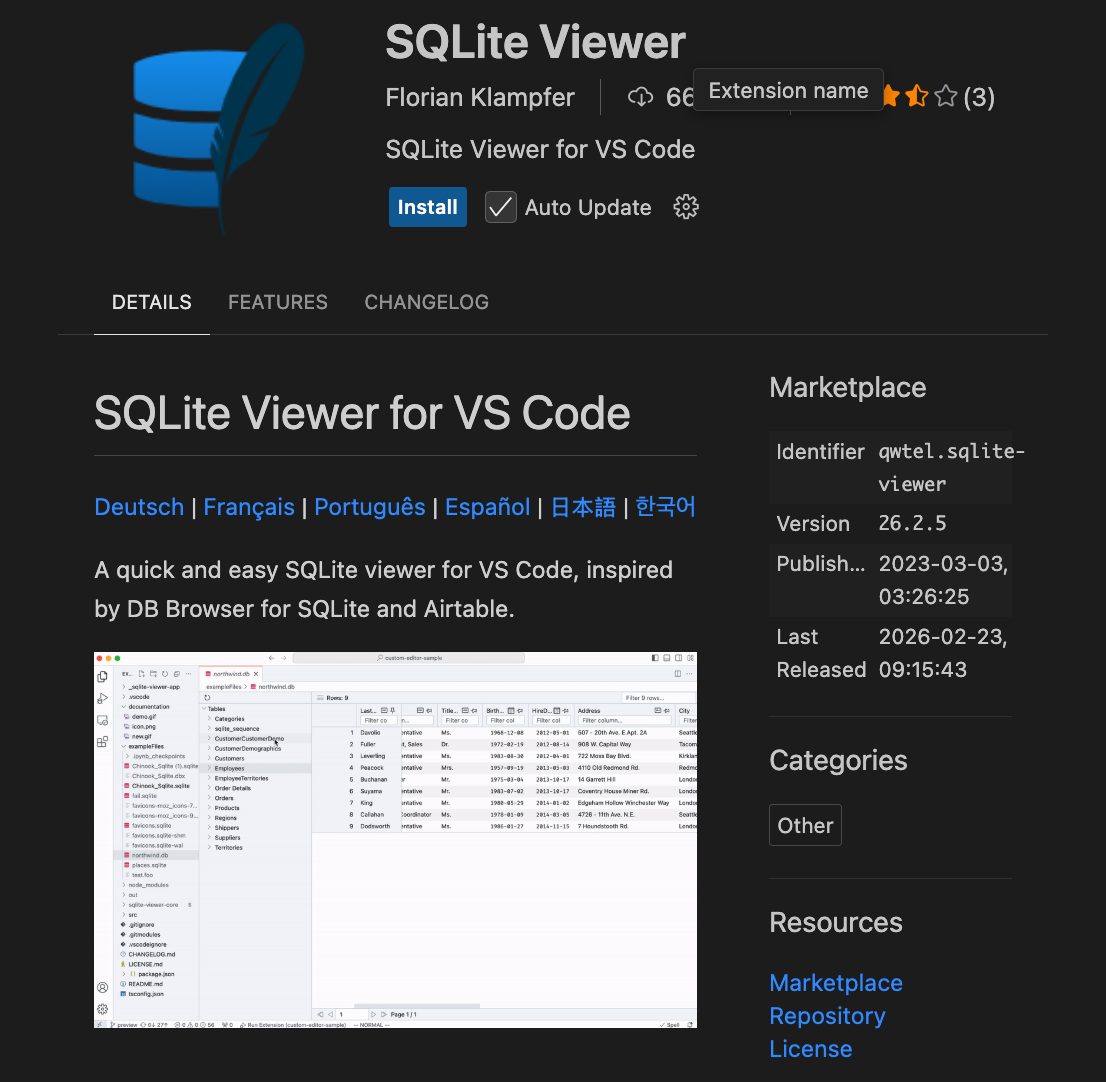
A .db file is not text, so opening it in the editor gives you a wall of binary characters. An extension makes it browsable instead.
uk_weather.db.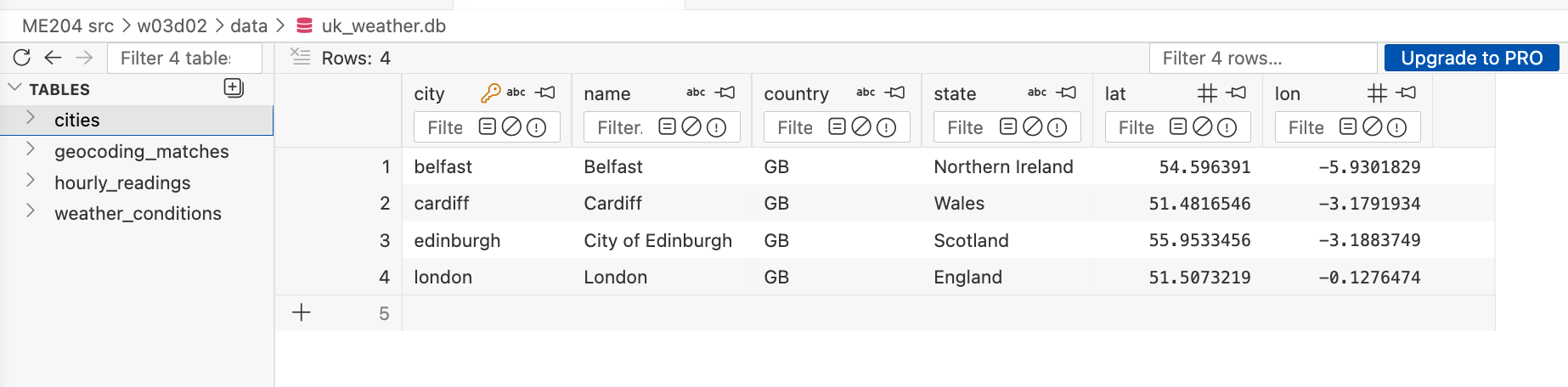
🎯 Action points
Open the Extensions panel in VS Code, search for
SQLite Viewer, and select Install. The one you want is by Florian Klampfer.Select
uk_weather.dbin the file explorer. It should open as a set of browsable tables.Click through all four tables before you run any code. Work out what tables exist, what columns each one has, and roughly how many rows are in each.
Then run the three cells in Part I of the notebook and compare what they tell you against what you found by clicking.
Part II: Keys
Your class teacher works through this part with the whole room, using the SQLite Viewer panel. Nothing to type: follow the discussion.
Given a city name, how does the database find exactly one row, and given a weather reading, how does it know which city that reading belongs to?
🎯 Action points
Run the Part II cells in the notebook after the discussion. Two of them attempt inserts the database will refuse.
See if you can make sense of the error messages.
Part III: Building block queries
Your class teacher will start you off on the first one, then leave you to it. Ask when a query does something you did not expect.
🎯 Action points
Return
city,dt, andtempfromhourly_readings, stopping after ten rows. New:SELECT,FROM,LIMIT.The same three columns, for Cardiff alone. New:
WHERE.Cardiff’s five warmest hours. New:
ORDER BY.The average temperature for each city, warmest first. New:
GROUP BYandAVG.How many hours of each weather description each city had. This one needs
weather_conditionsas well, so it needs aJOIN.
Stuck?
SQL uses single quotes for text and a single= for comparison, where Python uses ==. The city names in this database are all lowercase. If a query returns nothing at all, check both of those before anything else.
Tell your class teacher when you are done.
Wrapping up: which one would you pick?
Near the end your class teacher brings the room back together. You have spent an hour writing SQL and two weeks writing pandas, so the question is which you found easier to write, and which you would rather come back to in a week.
Bring a specific query from Part III, since there is no answer we are looking for.
🌟 Bonus
Two optional sections at the end of the notebook, for anyone who finishes Part III early. Working on your final project instead is completely fine.
The same question in two languages. Four cells, each with a pandas chain that already works. Write the SQL that answers the same question and check that the two results match.
Submit your final project by 5pm on Friday 31 July.
📎 Appendix
What you need
- VS Code on Nuvolos, with the SQLite Viewer extension by Florian Klampfer
ME204_W03D02_Lab.ipynbuk_weather.db, which the notebook opens at../data/uk-weather/uk_weather.db
The database
Four tables, built from the OpenWeather One Call API across three days in August 2025.
cities: one row per city, with its full name and regionhourly_readings: temperature, humidity, wind, and pressure, one row per city per hourweather_conditions: the description for each reading, such asCloudsorRaingeocoding_matches: every place the Geocoding API returned for the four city names