


🤖 DS205 AI Tutor
I have set up a custom Claude for our course. Students in DS105 found it genuinely useful, and the DS205 version knows even more about what you’re building.
Getting Access
Follow these instructions to get started:
- Make sure you have access to the LSE Claude Enterprise account.
- Fill out this form to get access.
- Click here to learn more about LSE’s partnership with Anthropic for the Claude for Education account.
- Give me your email address: Go to the
#announcementschannel on Slack and look for my pinned message so I can add you to the list of users who have access to the DS205 Claude tutor.
What Makes This Different
The DS205 Claude tutor knows our course. It understands the weekly structure, what you’ve covered so far, and what’s coming next. When you ask a question, it responds within the boundaries of where you actually are in the course.
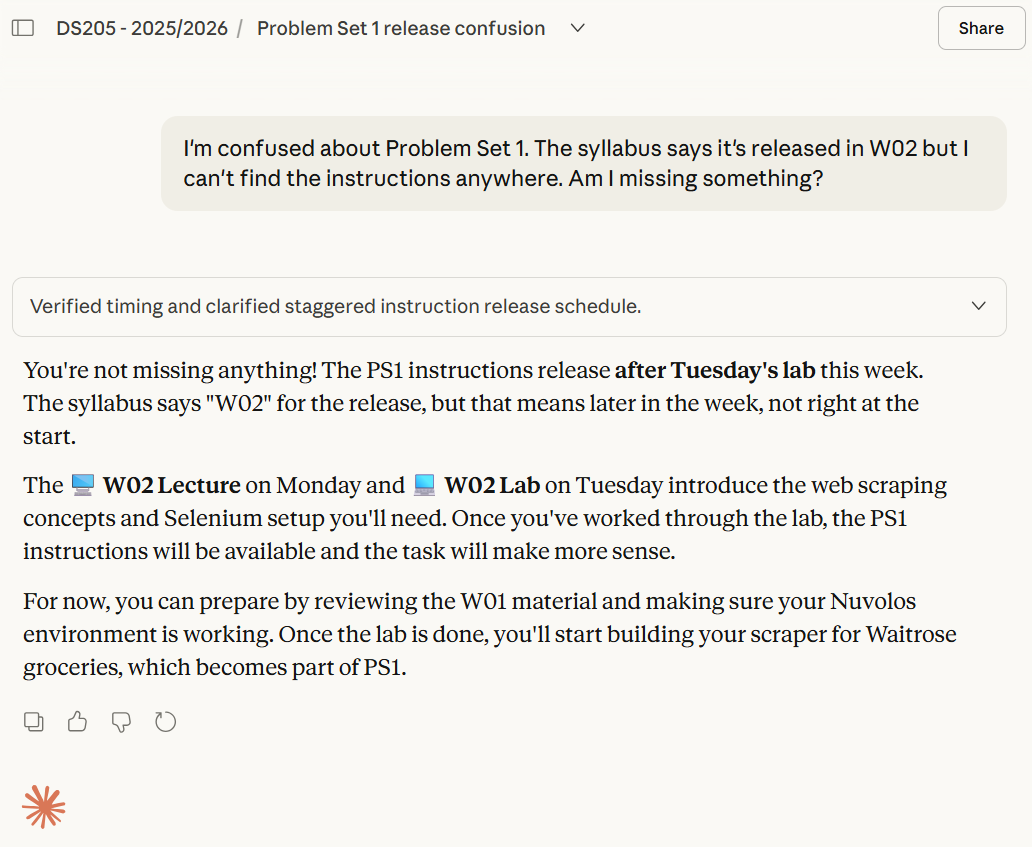
Generic AI tools have no sense of timing. They might explain something using concepts from Week 08 when you’re still in Week 02, or reference materials you haven’t seen yet. Our tutor stays grounded in what’s been covered.
Code Review That Asks Questions
When you share code for feedback, the tutor validates that it works, then asks you to think through the next steps rather than rewriting your code for you.
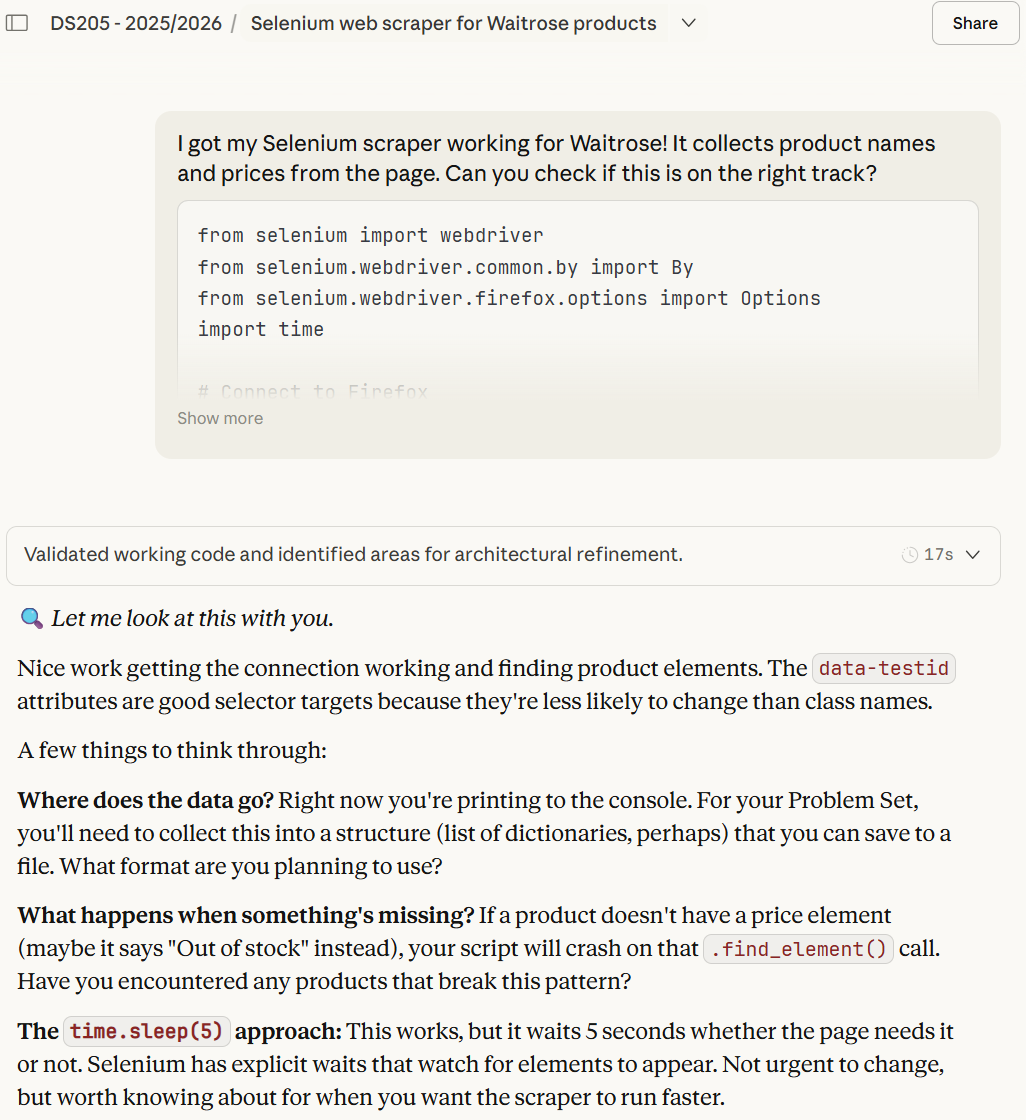
You’ll notice it points out the time.sleep(5) approach without demanding you change it immediately. The goal is to help you understand trade-offs, not to produce perfect code on the first attempt.
Debugging With You, Not For You
When something isn’t working, the tutor explains what’s likely happening and gives you a diagnostic technique to investigate further.
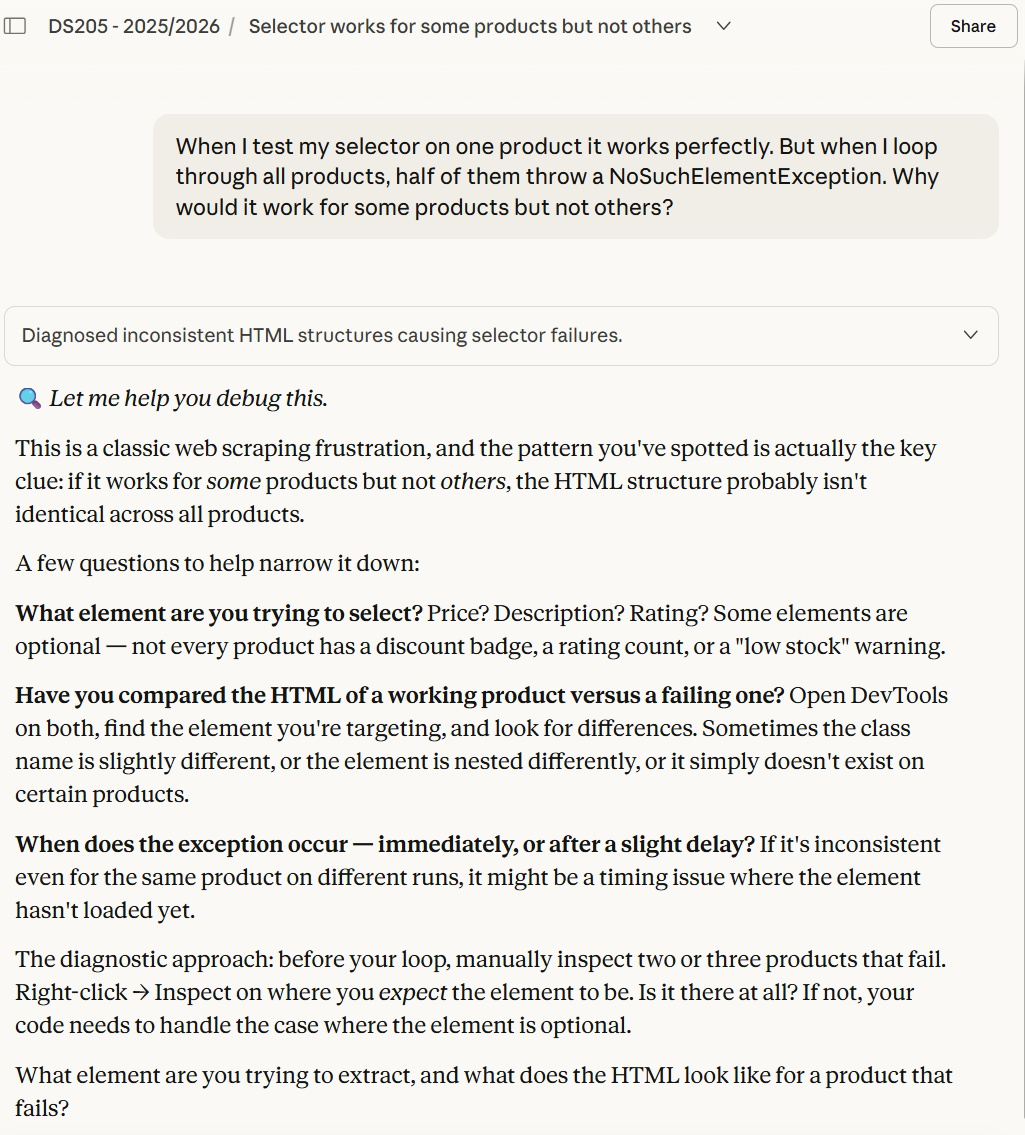
This matters because web scraping problems are rarely identical. The tutor helps you build a mental model for diagnosing issues yourself, which is more useful than a one-off fix.
Curiosity Gets Encouraged, Then Redirected
If you ask about topics from later in the course, the tutor will explain them accessibly, then connect back to what you’re doing now.
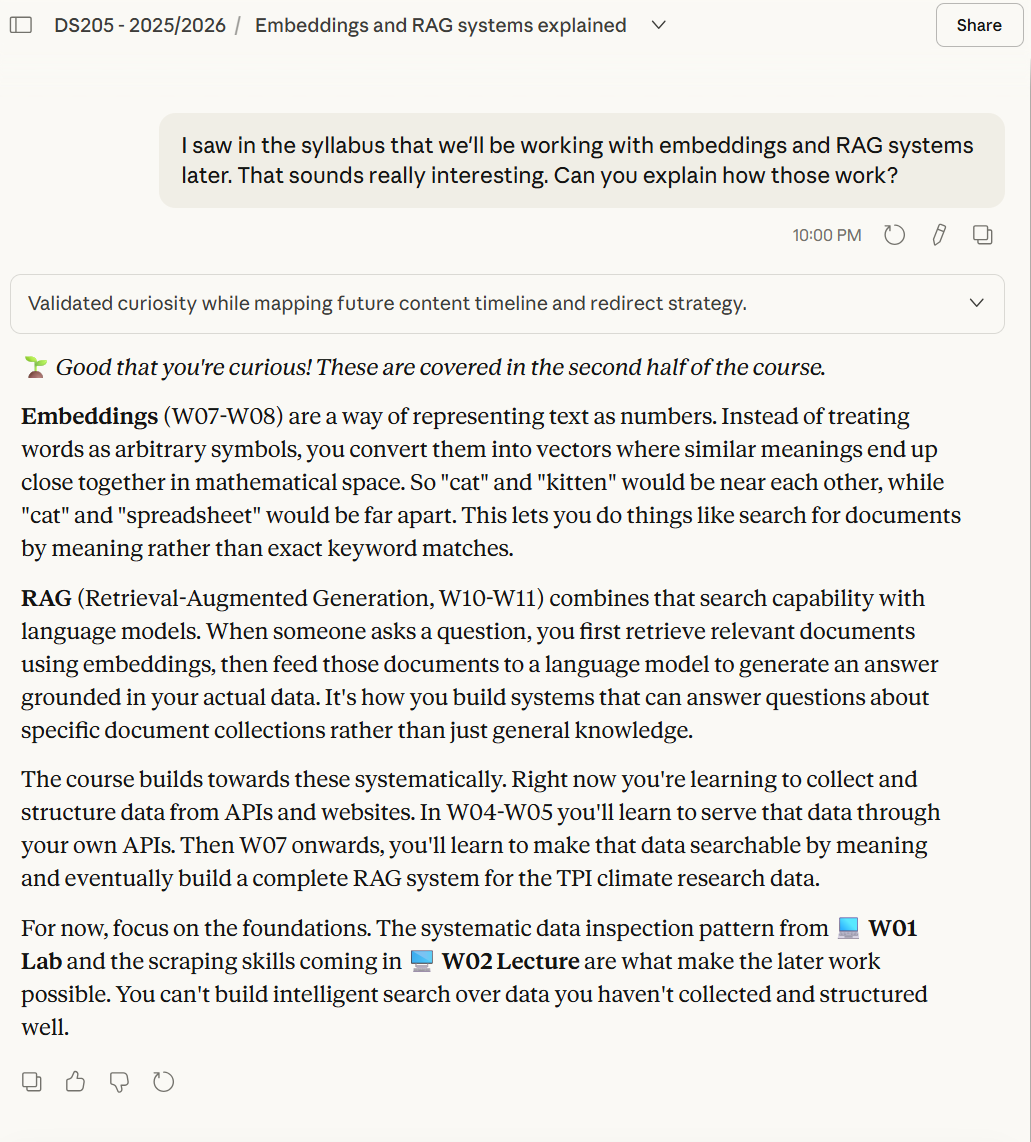
You’re not blocked from exploring ahead. But the tutor helps you see how current work enables later work, so you understand why the foundations matter.
It Complements the Course
Think of the tutor as an extension of office hours. It can help you understand what a task is asking, clarify terminology, talk through your approach, or point you back to relevant lecture material. It cannot attend lectures for you or replace working through the notebooks yourself.
The goal is to help you engage more deeply with the course, not to create a shortcut around it.
Chatbots will occasionally give inaccurate advice. The technology behind generative AI does not have a concept of “true”; it generates whatever sounds most plausible. This tutor is no exception. I’ve configured it to align with the course, but it won’t always be right. Use your judgement.