Demos and Recipes LSE ME204 · Data Engineering Principles for the Social Sciences
🖥️ Week 03 Day 01 Lecture
10:00 – 10:15
📷 Mentimeter QR code
Scan the QR code or go to menti.com
Quick polls:
10:15 – 11:15
I’ll be going around the room to help you. Use this hour to make progress on your project.
What you could be doing right now:
pd.json_normalize if you have code started💡 Deadline reminder: submit your final project by 5pm Friday 31 July.
11:15 – 11:30

When we come back:
11:30 – 11:45
So far, every dataset you collected came from an API.
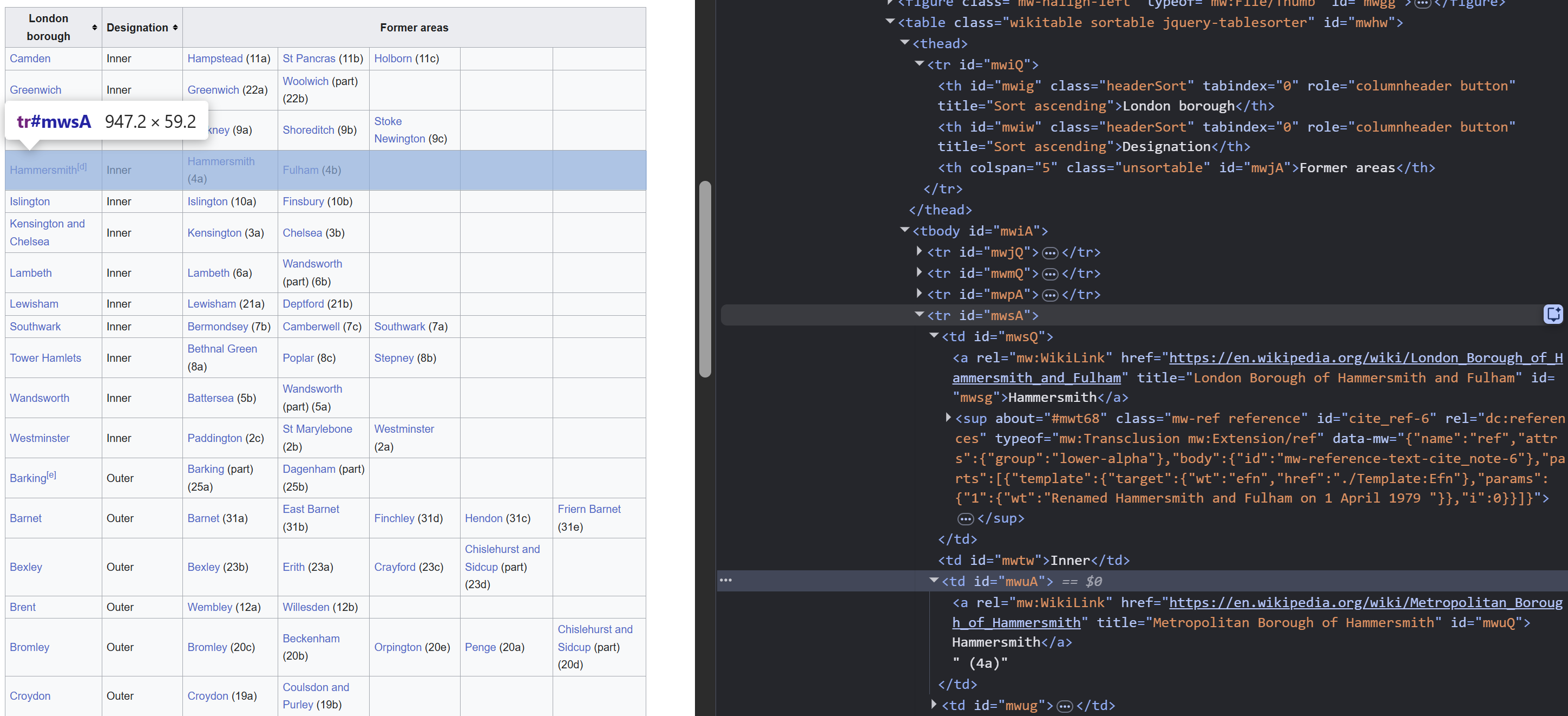
The data you need is on a web page, embedded in HTML. No endpoint, no JSON.
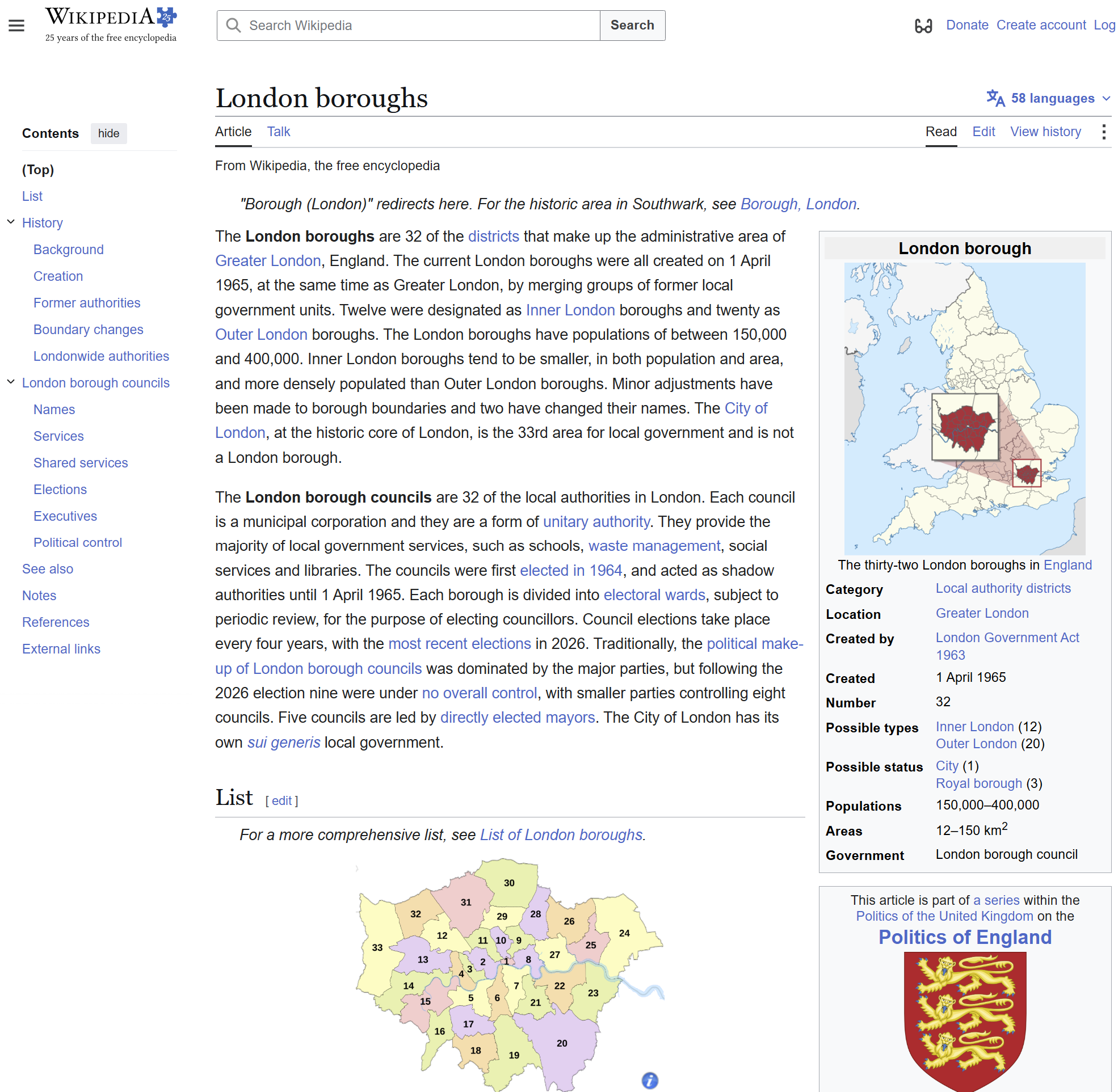
A developer built this page so humans could read it in a browser.
You want to work backwards: inspect the HTML, find the patterns the developer used, and write code to extract the data.
This is web scraping.
APIs
Web scraping
💡 Use an API when one exists. Scrape only when the data you need has no API and the site permits it.
Check robots.txt first
Most websites publish a file at /robots.txt that tells crawlers which parts of the site they prefer not to be scraped.
This is a request, not a technical barrier. Your scraper can ignore it, but whether you should is an ethical question.
Our approach in ME204
robots.txt before scrapingtime.sleep() between requests⚠️ If a site says no, stop. Terms of service override your interest in the data.
Same library, different content. Instead of JSON, you get HTML.
200
<!DOCTYPE html>
<html class="client-nojs vector-feature-language-in-header-
enabled" lang="en" dir="ltr">
<head>
<meta charset="UTF-8">
<title>London boroughs - Wikipedia</title>
...
response.text is a single long string of HTML. To find the data inside it, you need to understand the structure of that HTML.
11:45 – 12:15
Well, sort of…
A web page is a tree of nested tags. Each tag has a name, optional attributes, and content.
You will find several similarities between Markdown and HTML. It follows a similar idea but with angle brackets instead of symbols.
| What you want | Markdown | HTML |
|---|---|---|
| Bold text | **Bold** |
<b>Bold</b> |
| A heading | # Heading |
<h1>Heading</h1> |
| A list item | - Item |
<ul><li>Item</li></ul> |
| A link | [text](url) |
<a href="url">text</a> |
When you write Markdown and render it in VS Code or on a website, software converts it to HTML. The browser only reads HTML.
Right-click any element on a web page, then click Inspect.
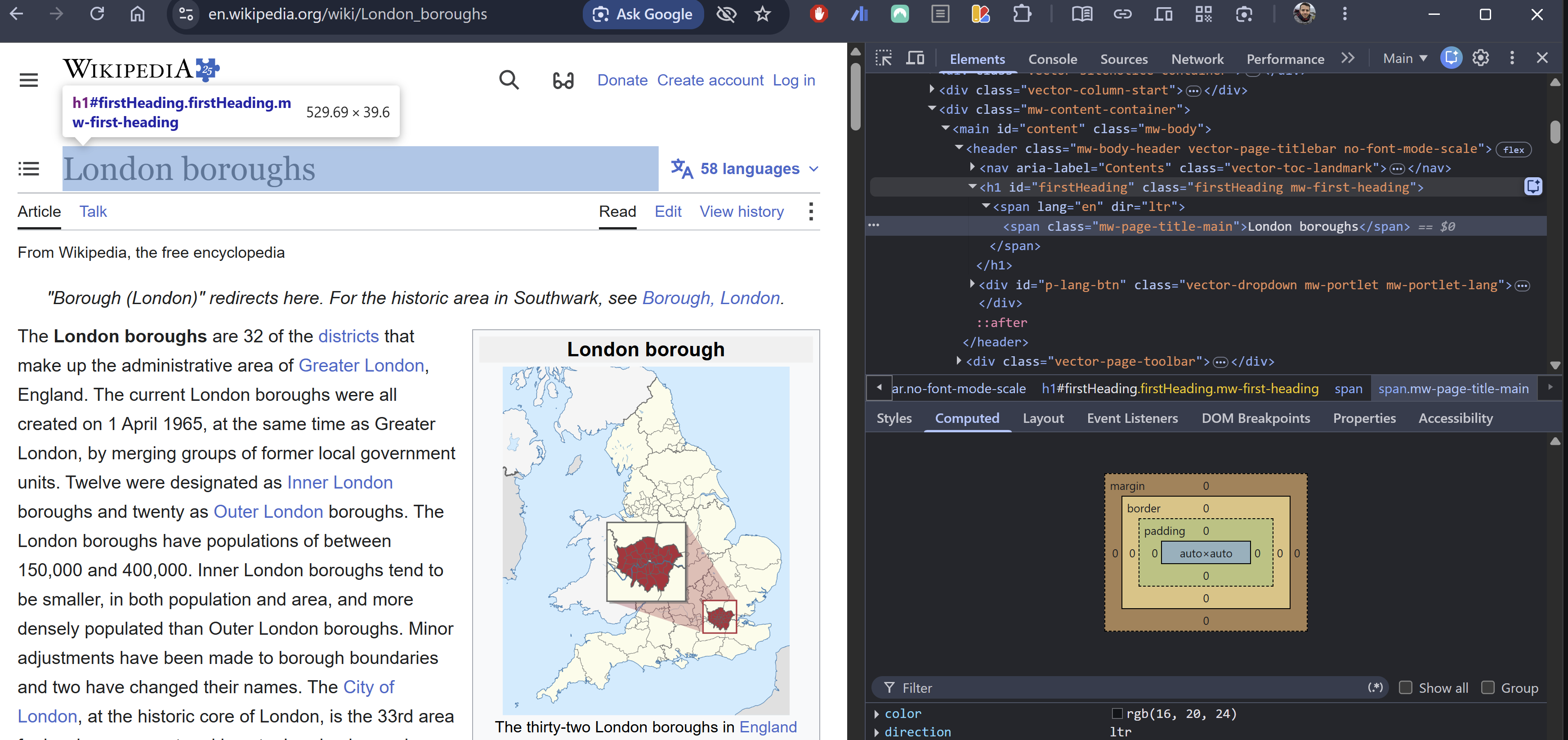
Three steps:
This is how you find the tag name and class you need for your scraping code.
An HTML tag up close:
<table class="wikitable sortable"> <tr> <td> <a href="/wiki/Camden">Camden</a> </td> </tr> </table>
CSS selectors you will use today:
| Selector | Finds |
|---|---|
table |
All <table> elements |
.wikitable |
Elements with class="wikitable" |
#content |
The element with id="content" |
table.wikitable |
<table> elements with class wikitable |
The same selector syntax that CSS uses to style elements is what BeautifulSoup uses to find them.
BeautifulSoup turns the raw HTML string into a tree you can search.
London boroughs - Wikipedia
London boroughs
soup is the whole tree. .find() walks the tree and returns the first tag that matches.
find stops at the first match. find_all collects every match.
find: one result
<class 'bs4.element.Tag'>
Returns the first <table> with class="wikitable", or None if no match.
This is a Tag object. Things you can do with it:
An alternative to chaining find and find_all: write a CSS selector in one string.
Using soup.select():
34
Barking and Dagenham
CSS selector mini reference:
| Selector | Meaning |
|---|---|
table |
any <table> |
.wikitable |
class wikitable |
#content |
id content |
table.wikitable |
<table> with class |
table.wikitable tr |
<tr> inside that table |
td a |
<a> inside a <td> |
💡 Use select for short paths. Use find / find_all when you need keyword arguments like class_=.
12:15 – 12:50
How to turn a web page into a DataFrame.

The page is at:
en.wikipedia.org/wiki/London_boroughs
Two lines you have seen before, plus one new one.
London boroughs - Wikipedia
The page has several tables. Use Inspect to find the right class, then find it.
<table class="wikitable sortable" ...>
<tbody>
<tr>
<th>Borough</th>
<th>Inner</th>
<th>Status</th>
<th>Area (sq mi)</th>
...
</tr>
<tr>
<td><a href="/wiki/Barking_and_Dagenham">Barking and Dagenham</a></td>
...
The first <tr> contains <th> (header) cells. Extract them with a list comprehension.
['Borough', 'Inner', 'Status', 'Area (sq mi)',
'Population (2021)', 'Co-ordinates', ...]
With a raw for loop, the same thing would have been:
🔔 Remember: From now on, prefer list comprehensions or pandas functions over for loops when building a list.
Same pattern, row by row. Skip the header row with [1:].
With a for loop:
33 rows extracted
['Barking and Dagenham', '', 'Borough', '13.93', '218110', ...]
| Borough | Inner | Status | Area (sq mi) | Population (2021) | |
|---|---|---|---|---|---|
| 0 | Barking and Dagenham | Borough | 13.93 | 218110 | |
| 1 | Barnet | Borough | 33.49 | 389344 | |
| 2 | Bexley | Borough | 23.38 | 248287 | |
| 3 | Brent | Borough | 16.70 | 339800 | |
| 4 | Bromley | Borough | 57.97 | 330000 |
💡 Compare this to the CSV you loaded in 💻 Week 01 Day 02 Lab. Same boroughs, different source. The CSV was prepared by someone else. Here you built the table yourself from a web page.
One line instead of five steps.
Step 1: fetch all tables
<class 'list'>
5 tables found
dfs is a list of DataFrames, one per <table> on the page. You need to pick the right one by index.
Step 2: inspect and pick
| Borough | Inner | Status | … | |
|---|---|---|---|---|
| 0 | Barking and Dagenham | Borough | … | |
| 1 | Barnet | Borough | … | |
| 2 | Bexley | Borough | … |
5 rows x 6 columns
Step 3: give it a proper name
The trade-off:
💡 Both approaches are valid. pd.read_html is a good first check. If the result is messy or you need a specific table, switch to BeautifulSoup.
12:50 – 13:00
This afternoon
You will practise web scraping with Jonas, and he can also help you with your final project.
Questions? Come find us during the lab or email me.
Where you want to be by tonight
⚠️ Submit by 5pm Friday 31 July. Assessment details

LSE Summer School 2026 | ME204 Week 03 Day 01
LSE ME204 (2026)