DS101 – Fundamentals of Data Science
02 Oct 2023
📒 A dataset is simply a collection of data.

Now we will start distinguishing:
📒 Structured data is data that can be organised in a tabular format.
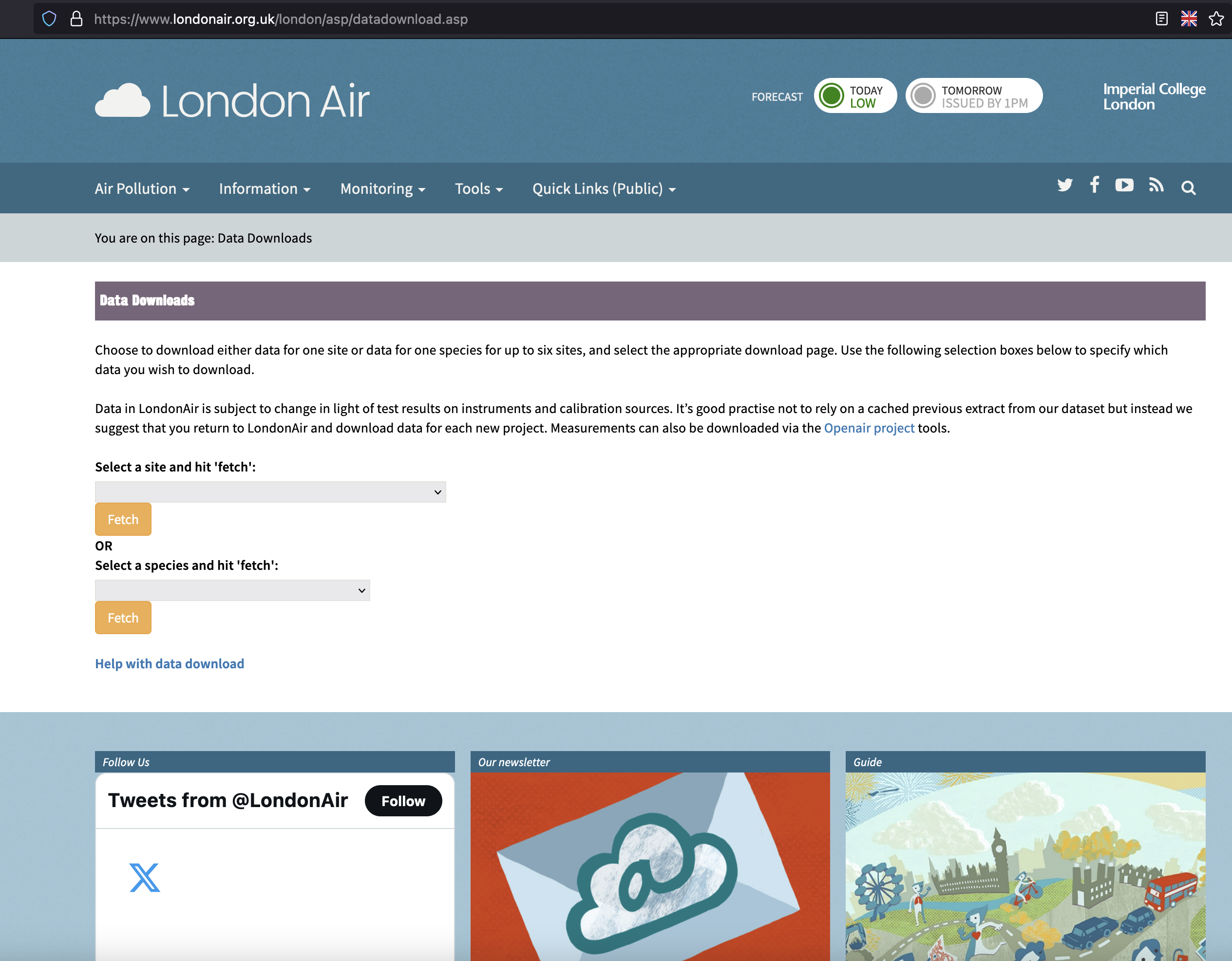
London Air air pollution monitoring dataset
| Site | Species | ReadingDateTime | Value | Units | Provisional or Ratified |
|---|---|---|---|---|---|
| BL0 | PM2.5 | 19/08/2023 20:00 | 5.9 | ug m-3 | P |
| BL0 | PM2.5 | 19/08/2023 21:00 | 6.1 | ug m-3 | P |
| BL0 | PM2.5 | 19/08/2023 22:00 | 5.8 | ug m-3 | P |
| BL0 | PM2.5 | 19/08/2023 23:00 | 4.9 | ug m-3 | P |
| BL0 | SO2 | 19/08/2023 20:00 | 1.5 | ug m-3 | P |
| BL0 | SO2 | 19/08/2023 21:00 | 0.9 | ug m-3 | P |
| BL0 | SO2 | 19/08/2023 22:00 | 1.3 | ug m-3 | P |
| BL0 | SO2 | 19/08/2023 23:00 | 1.3 | ug m-3 | P |
| BL0 | NO2 | 19/08/2023 20:00 | 10.3 | ug m-3 | P |
| BL0 | NO2 | 19/08/2023 21:00 | 13 | ug m-3 | P |
| BL0 | NO2 | 19/08/2023 22:00 | 14.7 | ug m-3 | P |
| BL0 | NO2 | 19/08/2023 23:00 | 14.2 | ug m-3 | P |
Data type: numeric
| Site | Species | ReadingDateTime | Value | Units | Provisional or Ratified |
|---|---|---|---|---|---|
| BL0 | PM2.5 | 19/08/2023 20:00 | 5.9 | ug m-3 | P |
| BL0 | PM2.5 | 19/08/2023 21:00 | 6.1 | ug m-3 | P |
| BL0 | PM2.5 | 19/08/2023 22:00 | 5.8 | ug m-3 | P |
| BL0 | PM2.5 | 19/08/2023 23:00 | 4.9 | ug m-3 | P |
| BL0 | SO2 | 19/08/2023 20:00 | 1.5 | ug m-3 | P |
| BL0 | SO2 | 19/08/2023 21:00 | 0.9 | ug m-3 | P |
| BL0 | SO2 | 19/08/2023 22:00 | 1.3 | ug m-3 | P |
| BL0 | SO2 | 19/08/2023 23:00 | 1.3 | ug m-3 | P |
| BL0 | NO2 | 19/08/2023 20:00 | 10.3 | ug m-3 | P |
| BL0 | NO2 | 19/08/2023 21:00 | 13 | ug m-3 | P |
| BL0 | NO2 | 19/08/2023 22:00 | 14.7 | ug m-3 | P |
| BL0 | NO2 | 19/08/2023 23:00 | 14.2 | ug m-3 | P |
Data type: string (text) but could be treated as categorical
| Site | Species | ReadingDateTime | Value | Units | Provisional or Ratified |
|---|---|---|---|---|---|
| BL0 | PM2.5 | 19/08/2023 20:00 | 5.9 | ug m-3 | P |
| BL0 | PM2.5 | 19/08/2023 21:00 | 6.1 | ug m-3 | P |
| BL0 | PM2.5 | 19/08/2023 22:00 | 5.8 | ug m-3 | P |
| BL0 | PM2.5 | 19/08/2023 23:00 | 4.9 | ug m-3 | P |
| BL0 | SO2 | 19/08/2023 20:00 | 1.5 | ug m-3 | P |
| BL0 | SO2 | 19/08/2023 21:00 | 0.9 | ug m-3 | P |
| BL0 | SO2 | 19/08/2023 22:00 | 1.3 | ug m-3 | P |
| BL0 | SO2 | 19/08/2023 23:00 | 1.3 | ug m-3 | P |
| BL0 | NO2 | 19/08/2023 20:00 | 10.3 | ug m-3 | P |
| BL0 | NO2 | 19/08/2023 21:00 | 13 | ug m-3 | P |
| BL0 | NO2 | 19/08/2023 22:00 | 14.7 | ug m-3 | P |
| BL0 | NO2 | 19/08/2023 23:00 | 14.2 | ug m-3 | P |
Data type: date
| Site | Species | ReadingDateTime | Value | Units | Provisional or Ratified |
|---|---|---|---|---|---|
| BL0 | PM2.5 | 19/08/2023 20:00 | 5.9 | ug m-3 | P |
| BL0 | PM2.5 | 19/08/2023 21:00 | 6.1 | ug m-3 | P |
| BL0 | PM2.5 | 19/08/2023 22:00 | 5.8 | ug m-3 | P |
| BL0 | PM2.5 | 19/08/2023 23:00 | 4.9 | ug m-3 | P |
| BL0 | SO2 | 19/08/2023 20:00 | 1.5 | ug m-3 | P |
| BL0 | SO2 | 19/08/2023 21:00 | 0.9 | ug m-3 | P |
| BL0 | SO2 | 19/08/2023 22:00 | 1.3 | ug m-3 | P |
| BL0 | SO2 | 19/08/2023 23:00 | 1.3 | ug m-3 | P |
| BL0 | NO2 | 19/08/2023 20:00 | 10.3 | ug m-3 | P |
| BL0 | NO2 | 19/08/2023 21:00 | 13 | ug m-3 | P |
| BL0 | NO2 | 19/08/2023 22:00 | 14.7 | ug m-3 | P |
| BL0 | NO2 | 19/08/2023 23:00 | 14.2 | ug m-3 | P |
| Bits | Value | |
|---|---|---|
| 0000 | → | 0 |
| 0001 | → | 1 |
| 0010 | → | 2 |
| 0011 | → | 3 |
| 0100 | → | 4 |
| 0101 | → | 5 |
| 0110 | → | 6 |
| 0111 | → | 7 |
| Bits | Value | |
|---|---|---|
| 1000 | → | 8 |
| 1001 | → | 9 |
| 1010 | → | 10 |
| 1011 | → | 11 |
| 1100 | → | 12 |
| 1101 | → | 13 |
| 1110 | → | 14 |
| 1111 | → | 15 |
| Unit of measurement | Abbr. | Conversion |
|---|---|---|
| bit | b | 1 bit |
| nibble | - | 4 bits (or half a byte) |
| Byte | B | 8 bits |
| Kilobyte | KB | 1024 bytes |
| Megabyte | MB | 1024 kilobytes (or 1048576 bytes) |
| Gigabyte | GB | 1024 megabytes |
| Terabyte | TB | 1024 gigabytes |
| Petabyte | PB | 1024 terabytes |
| Exabyte | EB | 1024 petabytes |
| Zettabyte | ZB | 1024 exabytes |
| Yottabyte | YB | 1024 zettabytes |
Whole Numbers (\(\mathbb{Z}\))
int): Numbers that do not contain a decimal digitIn practice, it is unlikely you will ever have to think about it!
Real Numbers (\(\mathbb{R}\)), either Rational (\(\mathbb{Q}\)) or Irrational (\(\mathbb{Q'}\))
In computing, these are represented by Floating-point numbers
Random examples:
Most commonly, represented by 32-bits (float) or 64-bits (double)
numericfloat (represented by 64-bits and not 32 bits unlike as in other languages e.g C). For more on Python floats, see 🔗this pagechar):
') or double (") quotes in most tools and programming languages.'B', 'a', '!', '.'"The text inside these quotes is a string."| Dec | Binary | Char | Description |
|---|---|---|---|
| 0 | 0000000 | NUL | Null |
| 1 | 0000001 | SOH | Start of Header |
| 2 | 0000010 | STX | Start of Text |
| 3 | 0000011 | ETX | End of Text |
| 4 | 0000100 | EOT | End of Transmission |
| 5 | 0000101 | ENQ | Enquiry |
| 6 | 0000110 | ACK | Acknowledge |
| 7 | 0000111 | BEL | Bell |
| 8 | 0001000 | BS | Backspace |
| 9 | 0001001 | HT | Horizontal Tab |
| 10 | 0001010 | LF | Line Feed |
| 11 | 0001011 | VT | Vertical Tab |
| 12 | 0001100 | FF | Form Feed |
| 13 | 0001101 | CR | Carriage Return |
| 14 | 0001110 | SO | Shift Out |
| 15 | 0001111 | SI | Shift In |
| 16 | 0010000 | DLE | Data Link Escape |
| 17 | 0010001 | DC1 | Device Control 1 |
| 18 | 0010010 | DC2 | Device Control 2 |
| 19 | 0010011 | DC3 | Device Control 3 |
| 20 | 0010100 | DC4 | Device Control 4 |
| 21 | 0010101 | NAK | Negative Acknowledge |
| 22 | 0010110 | SYN | Synchronize |
| 23 | 0010111 | ETB | End of Transmission Block |
| 24 | 0011000 | CAN | Cancel |
| 25 | 0011001 | EM | End of Medium |
| 26 | 0011010 | SUB | Substitute |
| 27 | 0011011 | ESC | Escape |
| 28 | 0011100 | FS | File Separator |
| 29 | 0011101 | GS | Group Separator |
| 30 | 0011110 | RS | Record Separator |
| 31 | 0011111 | US | Unit Separator |
| Dec | Binary | Char | Description |
|---|---|---|---|
| 32 | 0100000 | space | Space |
| 33 | 0100001 | ! | exclamation mark |
| 34 | 0100010 | ” | double quote |
| 35 | 0100011 | # | number |
| 36 | 0100100 | $ | dollar |
| 37 | 0100101 | % | percent |
| 38 | 0100110 | & | ampersand |
| 39 | 0100111 | ’ | single quote |
| 40 | 0101000 | ( | left parenthesis |
| 41 | 0101001 | ) | right parenthesis |
| 42 | 0101010 | * | asterisk |
| 43 | 0101011 | + | plus |
| 44 | 0101100 | , | comma |
| 45 | 0101101 | - | minus |
| 46 | 0101110 | . | period |
| 47 | 0101111 | / | slash |
| 48 | 0110000 | 0 | zero |
| 49 | 0110001 | 1 | one |
| 50 | 0110010 | 2 | two |
| 51 | 0110011 | 3 | three |
| 52 | 0110100 | 4 | four |
| 53 | 0110101 | 5 | five |
| 54 | 0110110 | 6 | six |
| 55 | 0110111 | 7 | seven |
| 56 | 0111000 | 8 | eight |
| 57 | 0111001 | 9 | nine |
| 58 | 0111010 | : | colon |
| 59 | 0111011 | ; | semicolon |
| 60 | 0111100 | < | less than |
| 61 | 0111101 | = | equality sign |
| 62 | 0111110 | > | greater than |
| 63 | 0111111 | ? | question mark |
| Dec | Binary | Char | Description |
|---|---|---|---|
| 64 | 1000000 | @ | at sign |
| 65 | 1000001 | A | |
| 66 | 1000010 | B | |
| 67 | 1000011 | C | |
| 68 | 1000100 | D | |
| 69 | 1000101 | E | |
| 70 | 1000110 | F | |
| 71 | 1000111 | G | |
| 72 | 1001000 | H | |
| 73 | 1001001 | I | |
| 74 | 1001010 | J | |
| 75 | 1001011 | K | |
| 76 | 1001100 | L | |
| 77 | 1001101 | M | |
| 78 | 1001110 | N | |
| 79 | 1001111 | O | |
| 80 | 1010000 | P | |
| 81 | 1010001 | Q | |
| 82 | 1010010 | R | |
| 83 | 1010011 | S | |
| 84 | 1010100 | T | |
| 85 | 1010101 | U | |
| 86 | 1010110 | V | |
| 87 | 1010111 | W | |
| 88 | 1011000 | X | |
| 89 | 1011001 | Y | |
| 90 | 1011010 | Z | |
| 91 | 1011011 | [ | left square bracket |
| 92 | 1011100 | \ | backslash |
| 93 | 1011101 | ] | right square bracket |
| 94 | 1011110 | ^ | caret / circumflex |
| 95 | 1011111 | _ | underscore |
| Dec | Binary | Char | Description |
|---|---|---|---|
| 96 | 1100000 | ` | grave / accent |
| 97 | 1100001 | a | |
| 98 | 1100010 | b | |
| 99 | 1100011 | c | |
| 100 | 1100100 | d | |
| 101 | 1100101 | e | |
| 102 | 1100110 | f | |
| 103 | 1100111 | g | |
| 104 | 1101000 | h | |
| 105 | 1101001 | i | |
| 106 | 1101010 | j | |
| 107 | 1101011 | k | |
| 108 | 1101100 | l | |
| 109 | 1101101 | m | |
| 110 | 1101110 | n | |
| 111 | 1101111 | o | |
| 112 | 1110000 | p | |
| 113 | 1110001 | q | |
| 114 | 1110010 | r | |
| 115 | 1110011 | s | |
| 116 | 1110100 | t | |
| 117 | 1110101 | u | |
| 118 | 1110110 | v | |
| 119 | 1110111 | w | |
| 120 | 1111000 | x | |
| 121 | 1111001 | y | |
| 122 | 1111010 | z | |
| 123 | 1111011 | { | left curly bracket |
| 124 | 1111100 | ||
| 125 | 1111101 | } | right curly bracket |
| 126 | 1111110 | ~ | tilde |
| 127 | 1000001 | DEL | delete |
Examples from ASCII Art website:
;)( ;
:----: o8Oo./
C|====| ._o8o8o8Oo_.
| | \========/
`----' `------'
|\ _,,,---,,_
ZZZzz /,`.-'`' -. ;-;;,_
|,4- ) )-,_. ,\ ( `'-'
'---''(_/--' `-'\_) Felix Lee
\ / _\/_
.-'-. //o\ _\/_
_ ___ __ _ --_ / \ _--_ __ __ _ | __/o\\ _
=-=-_=-=-_=-=_=-_= -=======- = =-=_=-=_,-'|"'""-|-,_
=- _=-=-_=- _=-= _--=====- _=-=_-_,-" |
jgs=- =- =-= =- = - -===- -= - ."
ASCII is not the only standard. There are other ways to encode text using binary.
Below is a non-comprehensive list of other text (encoding):
Note
💡 You might have come across encoding mismatches before if you ever opened a file and the text looked like this:
“Nestlé and Mötley Crüe”
Where it should have read
“Nestlé and Mötley Crüe”
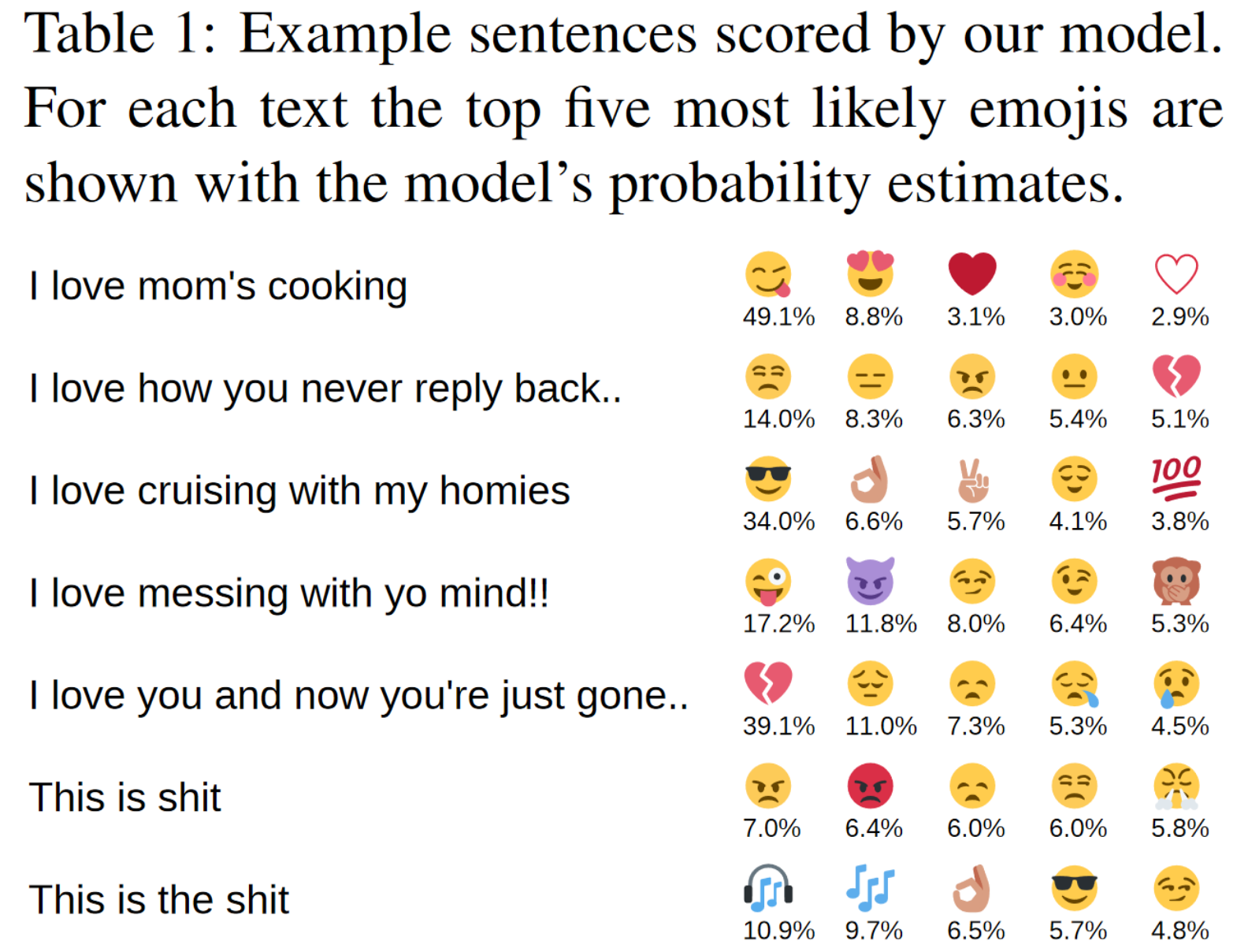
Emojis are text! They are part of UTF-8
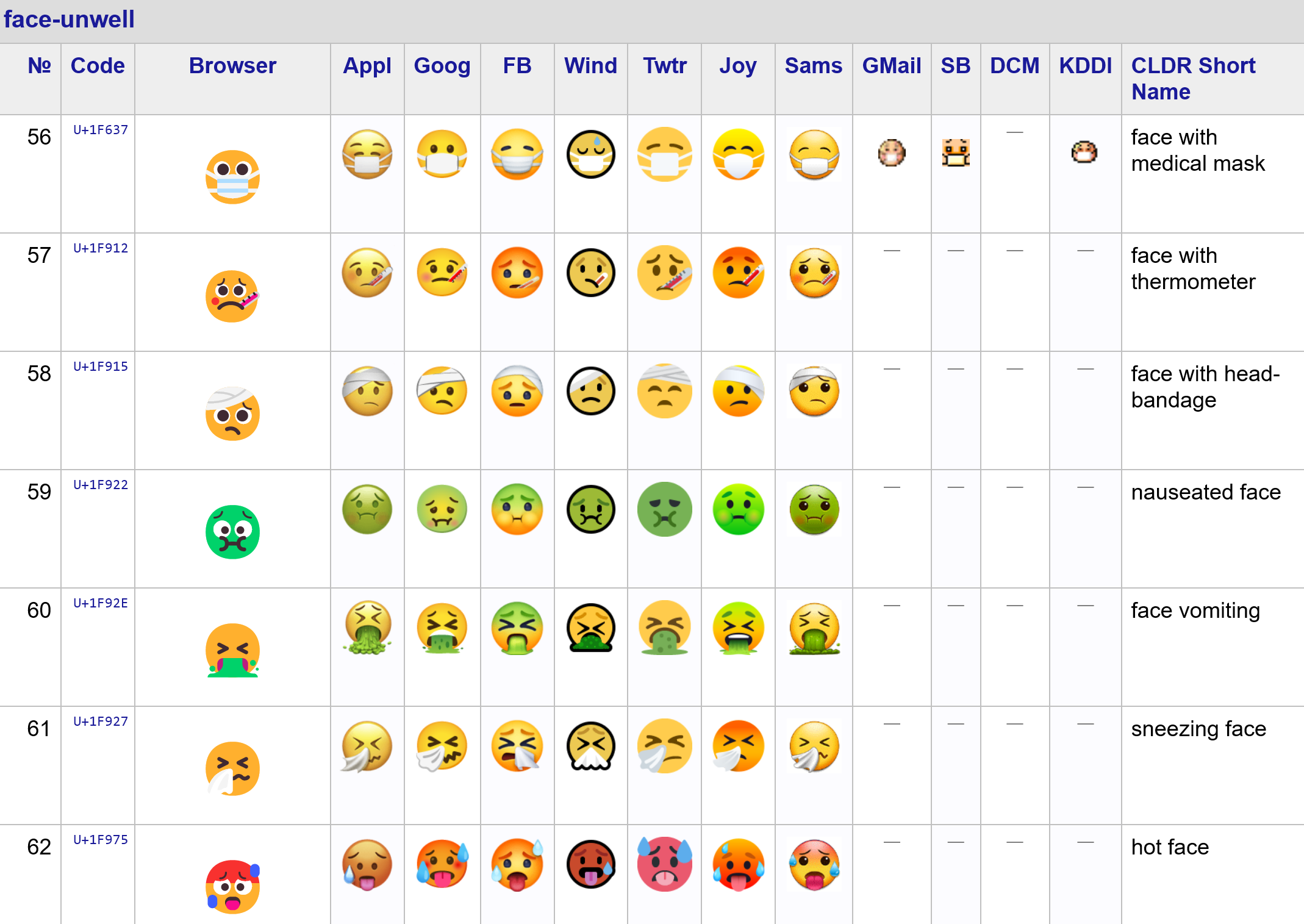
See the complete list on the Unicode website


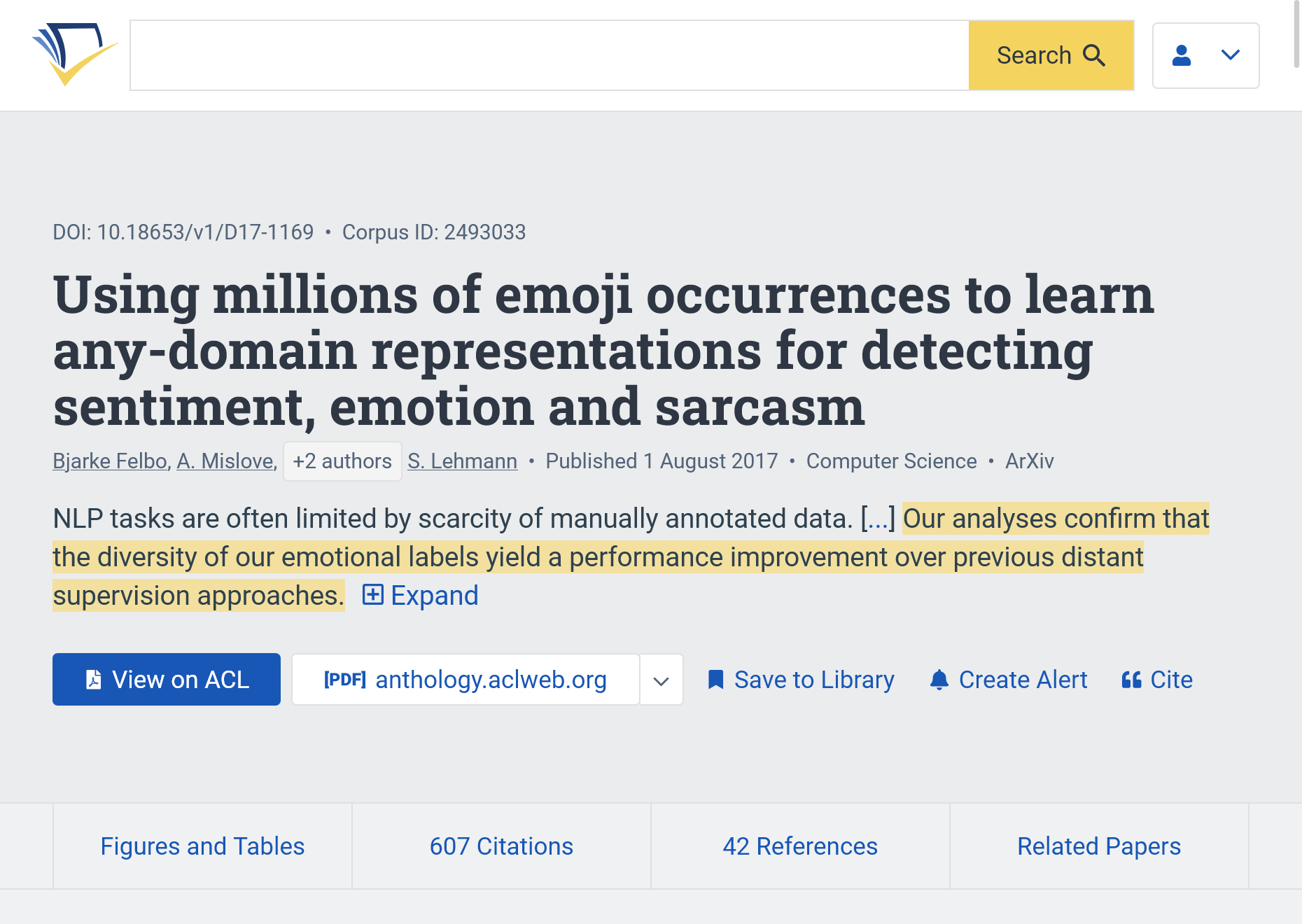
Reference: (Felbo et al. 2017)
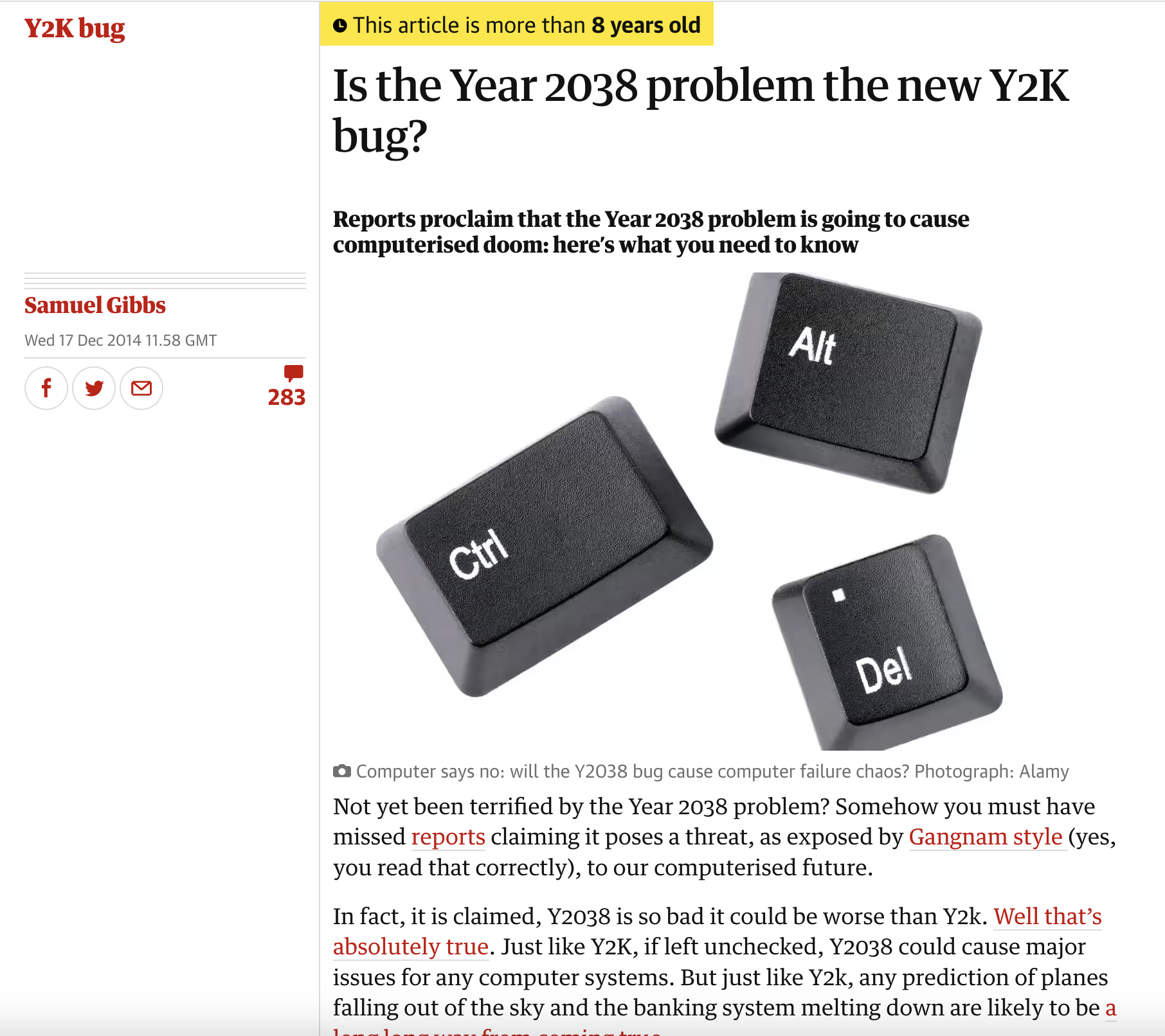
DD-MM-YYYYDD/MM/YYMM-DD-YYYYYYYY-MM-DDYYYYMMDDHH:mm:SS2022-01-11T18:49:05+00:00DD/MM/YY31/12/99 is 01/01/00
More on the topic:

Reference: (Gibbs 2014a)
In sum:
date is collected unstructured (as strings), there can be a mix of formats in the same file. Etc.
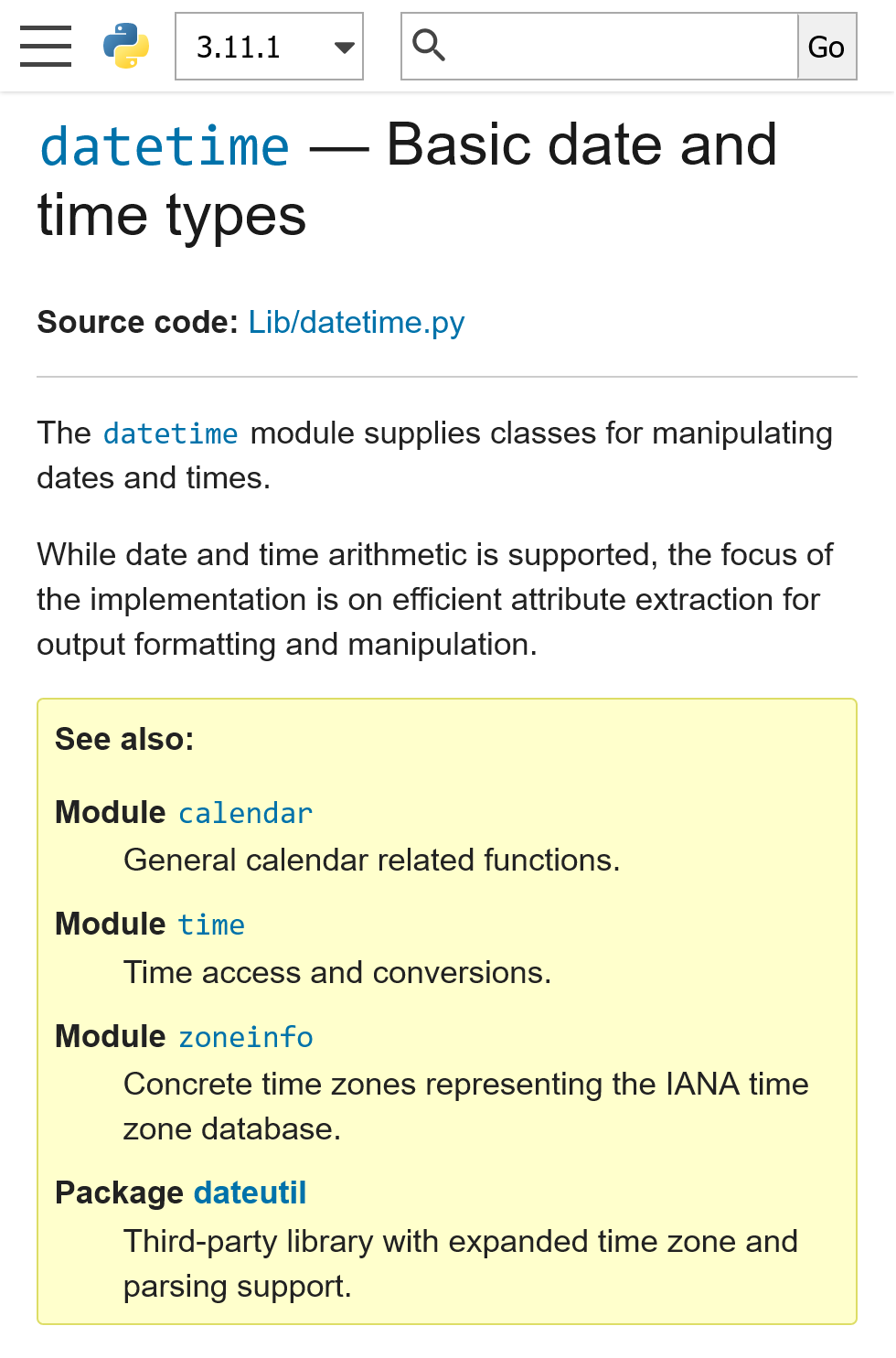
lubridate package in Rdatetime module in Python


After the break:
📄 CSV files are some of the simplest and most common formats to export rectangular data from databases and spreadsheets.
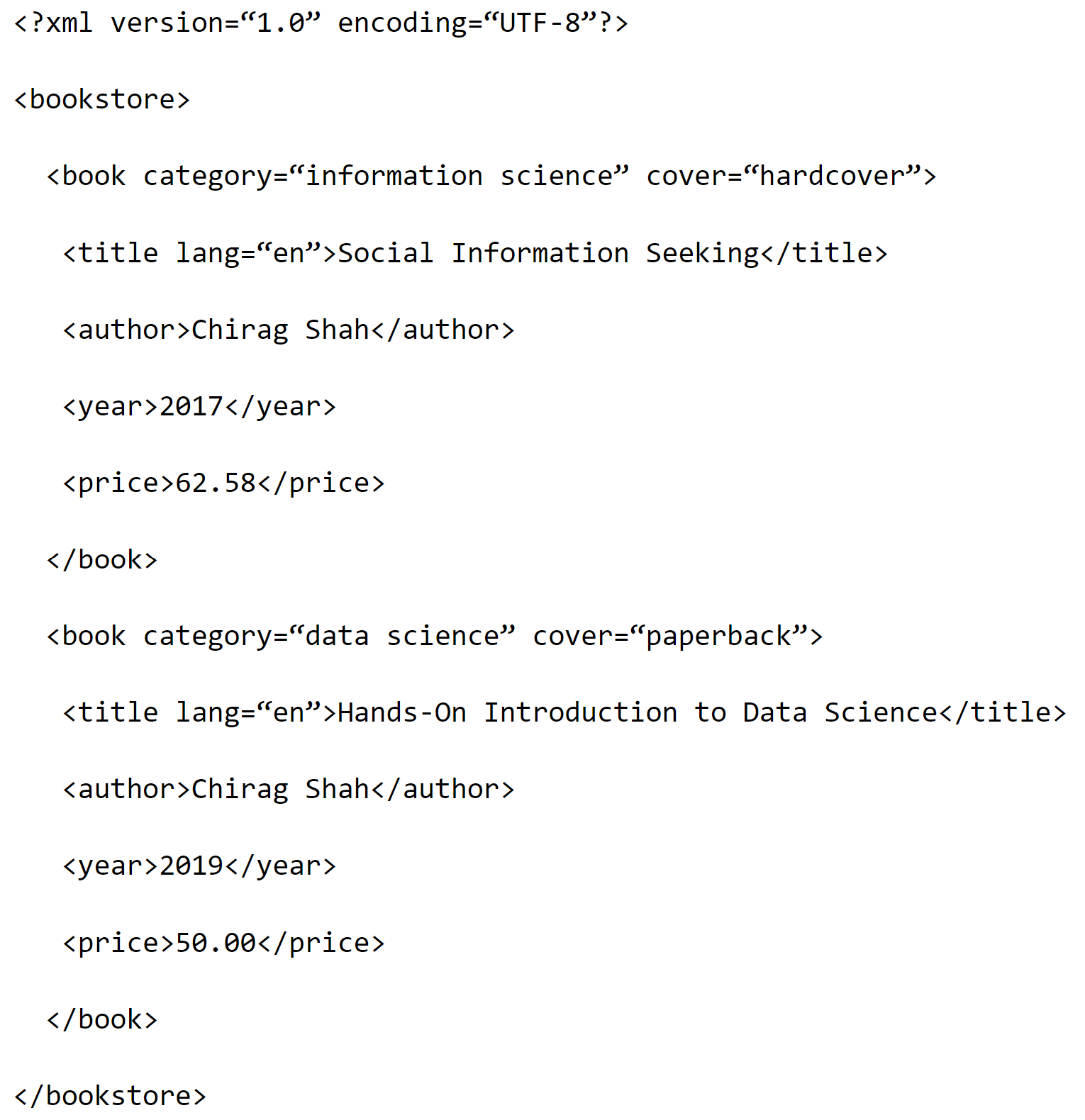
.csv📄 XML files are made of tags demarcated by the characters: < and >.
.xmldocx, .xlsx are XML-based

You can find yet another example of XML in Camden open data ➡️
Websites are encoded as HTML, a format similar to XML.
Example ➡️
📄 JSON files are also saved in text format but structured as name-value pairs. Filenames end with .json
{
"London Air Pollution Data":
[
{"Site": "BLO",
"Species": "NO2",
"ReadingDateTime": "19/08/2023 20:00",
"Value": 10.3,
"Units": "ug m-3",
"Provisional or Ratified" : "P"},
{
"Site": "BLO",
"Species": "SO2",
"ReadingDateTime": "19/08/2023 20:00",
"Value": 1.5,
"Units": "ug m-3",
"Provisional or Ratified": "P"
},
{
"Site": "BLO",
"Species": "PM2.5",
"ReadingDateTime": "19/08/2023 20:00",
"Value": 5.9,
"Units": "ug m-3",
"Provisional or Ratified": "P"
}
]
}Example from JSON Crack
📄 The previous JSON file had a flat structure but JSON files can have more flexible, complex, nested structures.
{
{
"London Air Pollution Data":
[
{
"Site": "BLO",
"Measurements":
[
{
"Species": "NO2",
"ReadingDateTime": "19/08/2023 20:00",
"Value": 10.3,
"Units": "ug m-3",
"Provisional or Ratified": "P"
},
{
"Species": "SO2",
"ReadingDateTime": "19/08/2023 20:00",
"Value": 1.5,
"Units": "ug m-3",
"Provisional or Ratified": "P"
},
{
"Species": "PM2.5",
"ReadingDateTime": "19/08/2023 20:00",
"Value": 5.9,
"Units": "ug m-3",
"Provisional or Ratified": "P"
}
]
}
]
}Example from JSON Crack
.xls.rdata, .rds, SAS7BDATDefinition
.json, .html, .xml, .csv, etc. are called file extensions.
💡 In fact, more than organised, we often need datasets to be tidy
What is wrong with using the spreadsheet below for data analysis ❓

Source: Imgur
By the way, although Excel can be useful, it can also be quite dangerous.
(Be aware of its limitations!!)

Source: Vincent (2020)
By the way, although Excel can be useful, it can also be quite dangerous.
(Be aware of its limitations!!)
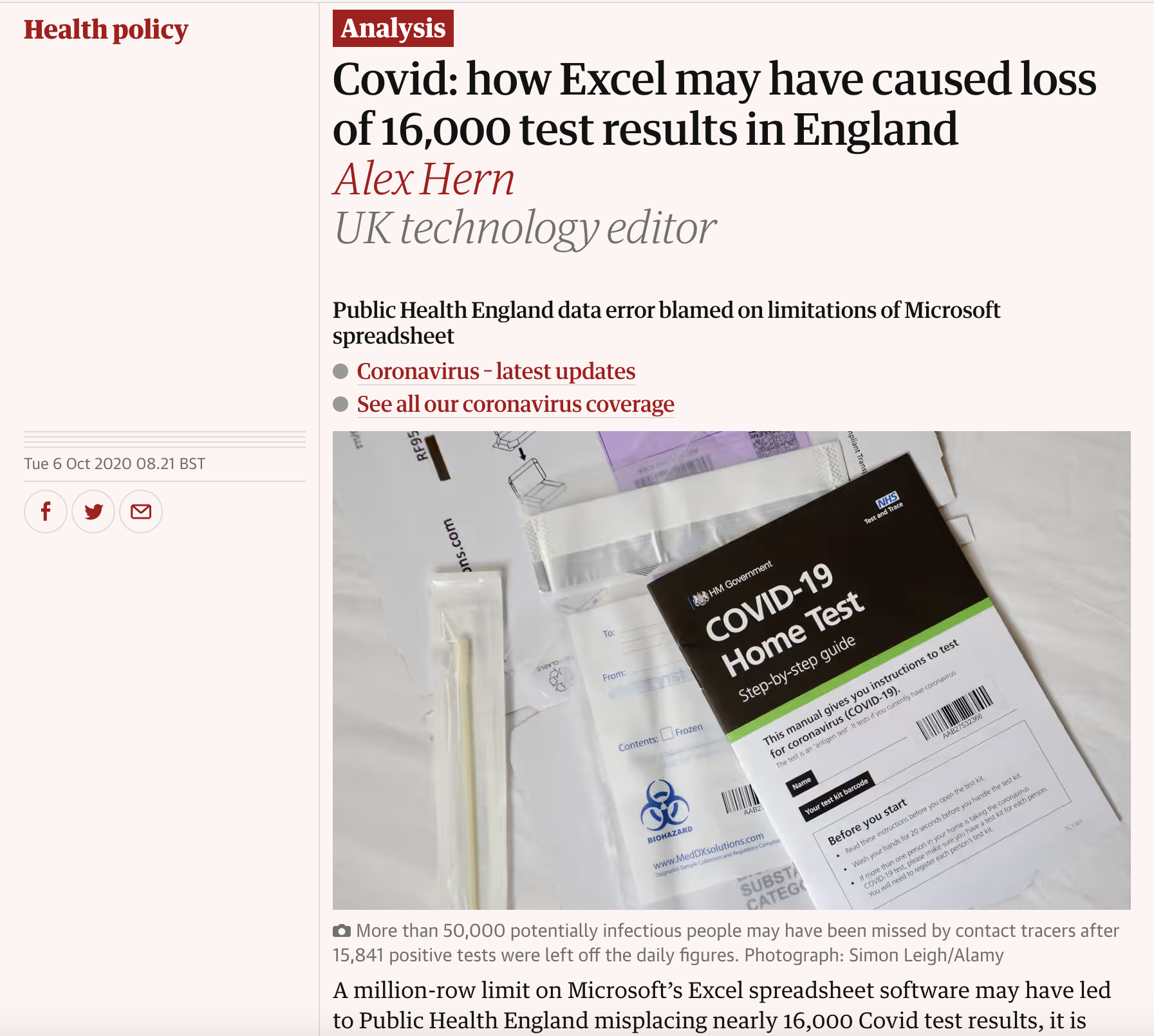
Source: Hern (2020)
By the way, although Excel can be useful, it can also be quite dangerous.
(Be aware of its limitations!!)
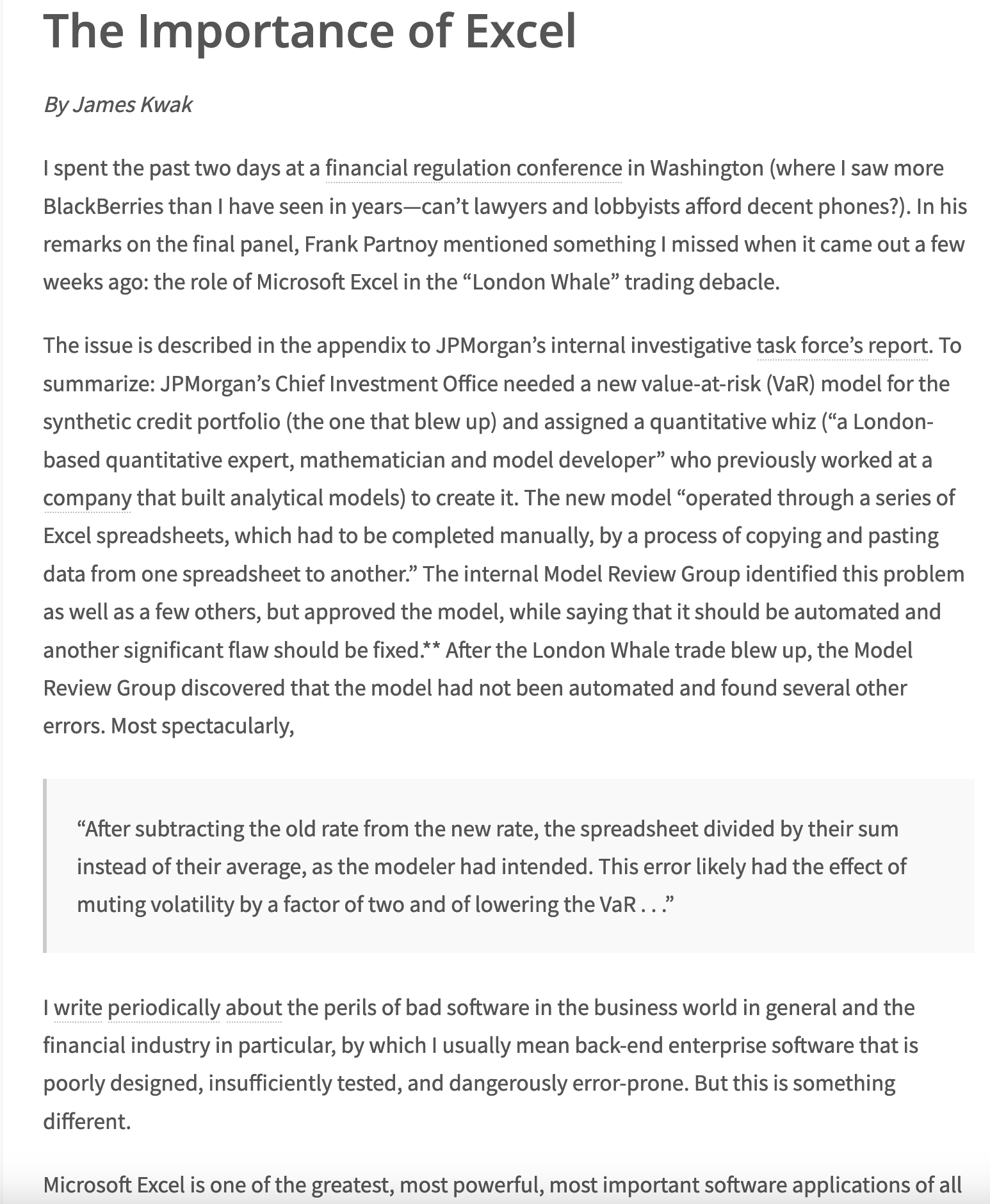
Source: Kwak (2013)
Source: Beales (2013)
For more, read Excel horror stories
Excel is not a good tool for real data science and data analysis/manipulation.
But it is fine to use it to explore data if you are aware of its pitfalls.
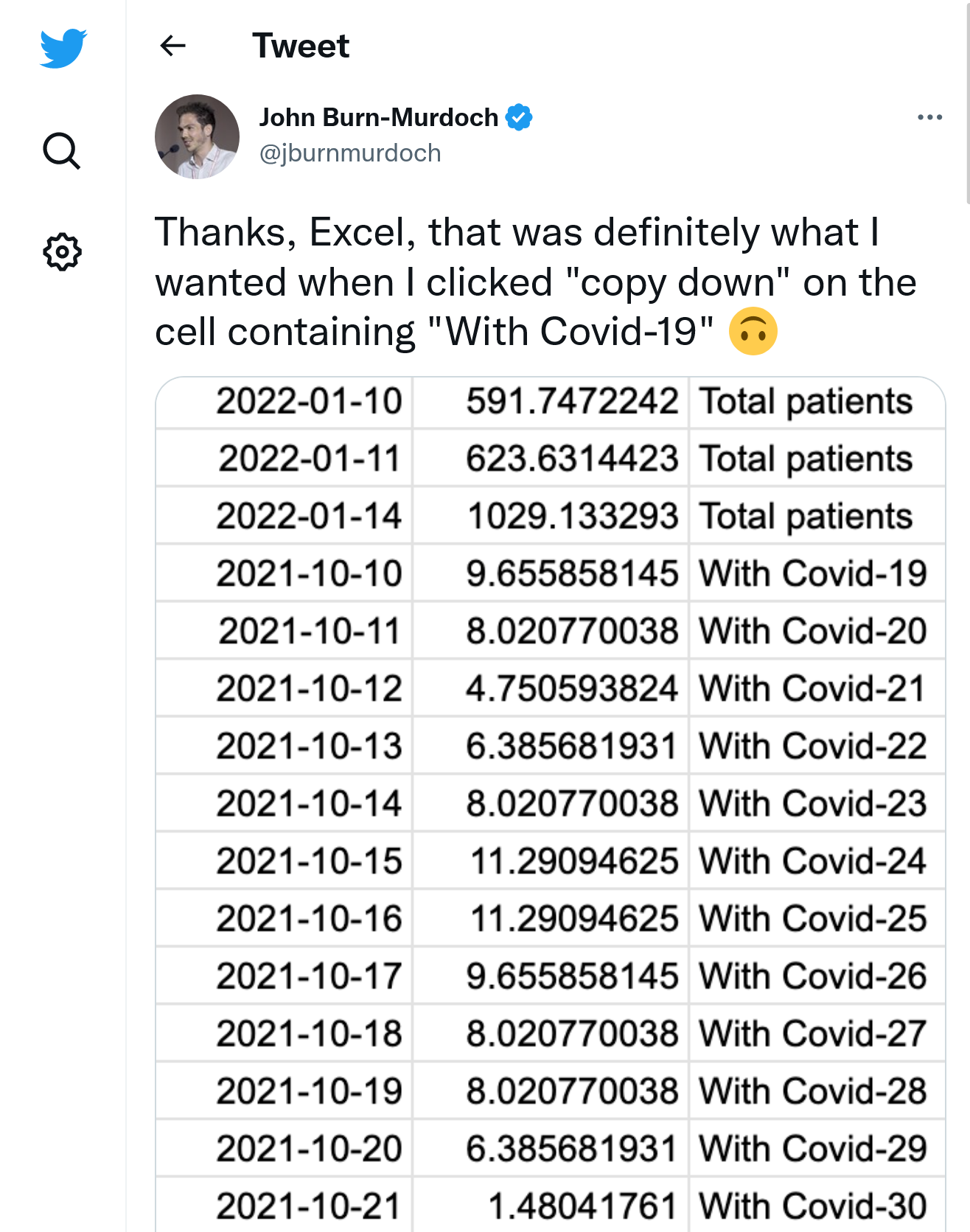
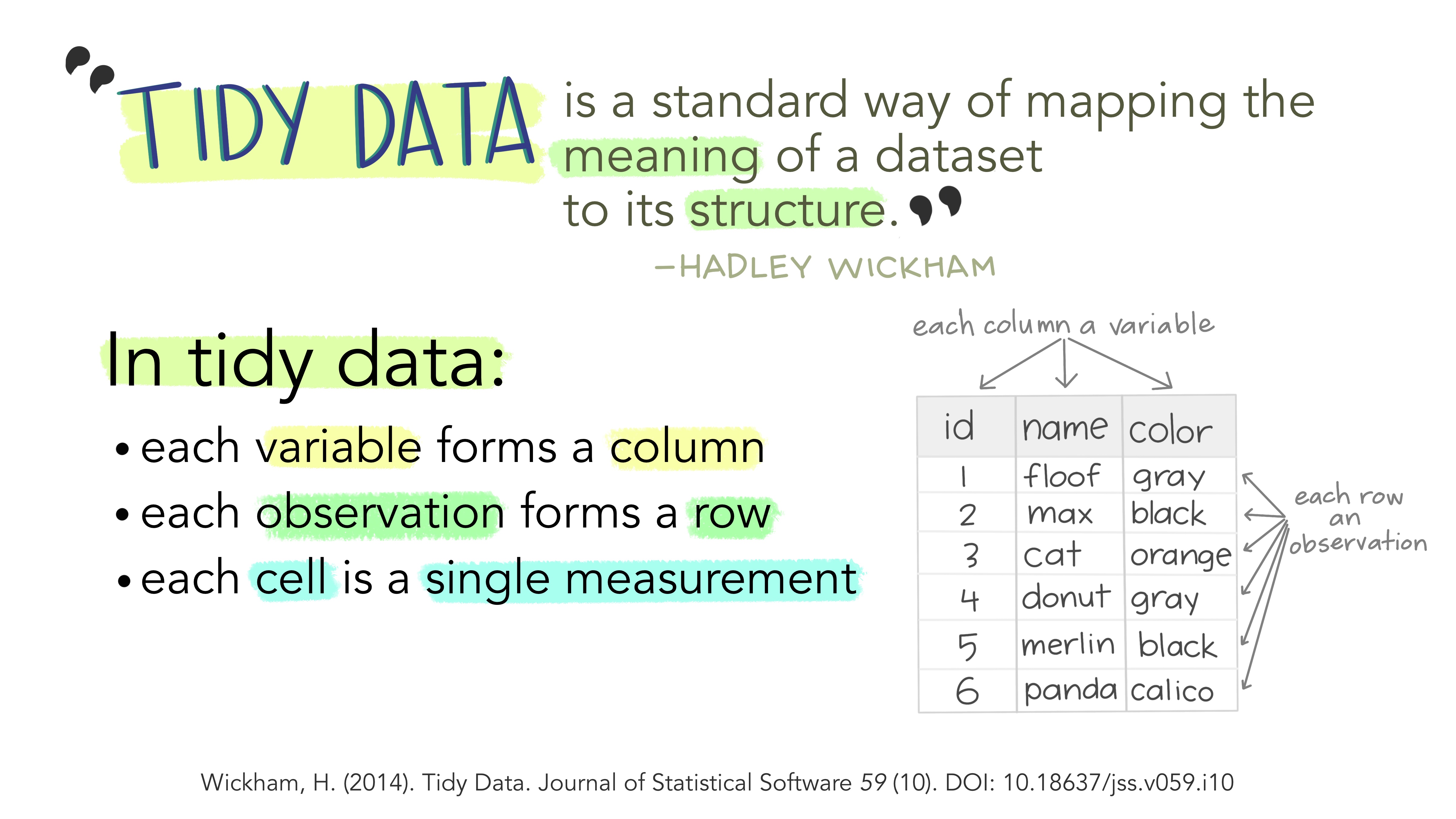
But I want to highlight a different kind of “messiness” today:
For more on this, see Chapter 12, Section 12.7 in (Wickham and Grolemund 2016) and (Leek 2016).

LSE DS101 2023-2024/24 Autumn Term | archive